Work tracker
Get a live overview of all active works, their status, timelines, and key milestones.
Track work progress
The Track Work Progress feature allows users to record and monitor the real-world progress of maintenance tasks.
It helps ensure that all approved work is properly tracked — from planning through completion.
Where to find it
This feature is available under the “Tasks & Costs” section, in the “Work Tracker (Actuals)” view.
💡 Tip: The Work Tracker is only available for approved years.
If you haven’t approved a year yet, you’ll need to approve at least one budget year before accessing this feature.
Purpose
The Work Tracker is designed to log actual activities and outcomes for tasks that have already been approved in the maintenance plan.
It provides a transparent record of what work has been completed, deferred, or cancelled.
Watch the demo
To see how the Work Tracker works in practice, watch the short demo video below.
It walks you through updating task statuses, adding completion details, and uploading supporting documents.
How it works
Each task in the Work Tracker table includes a contextual menu.
Click the three dots icon  on any task cell to open the available status actions.
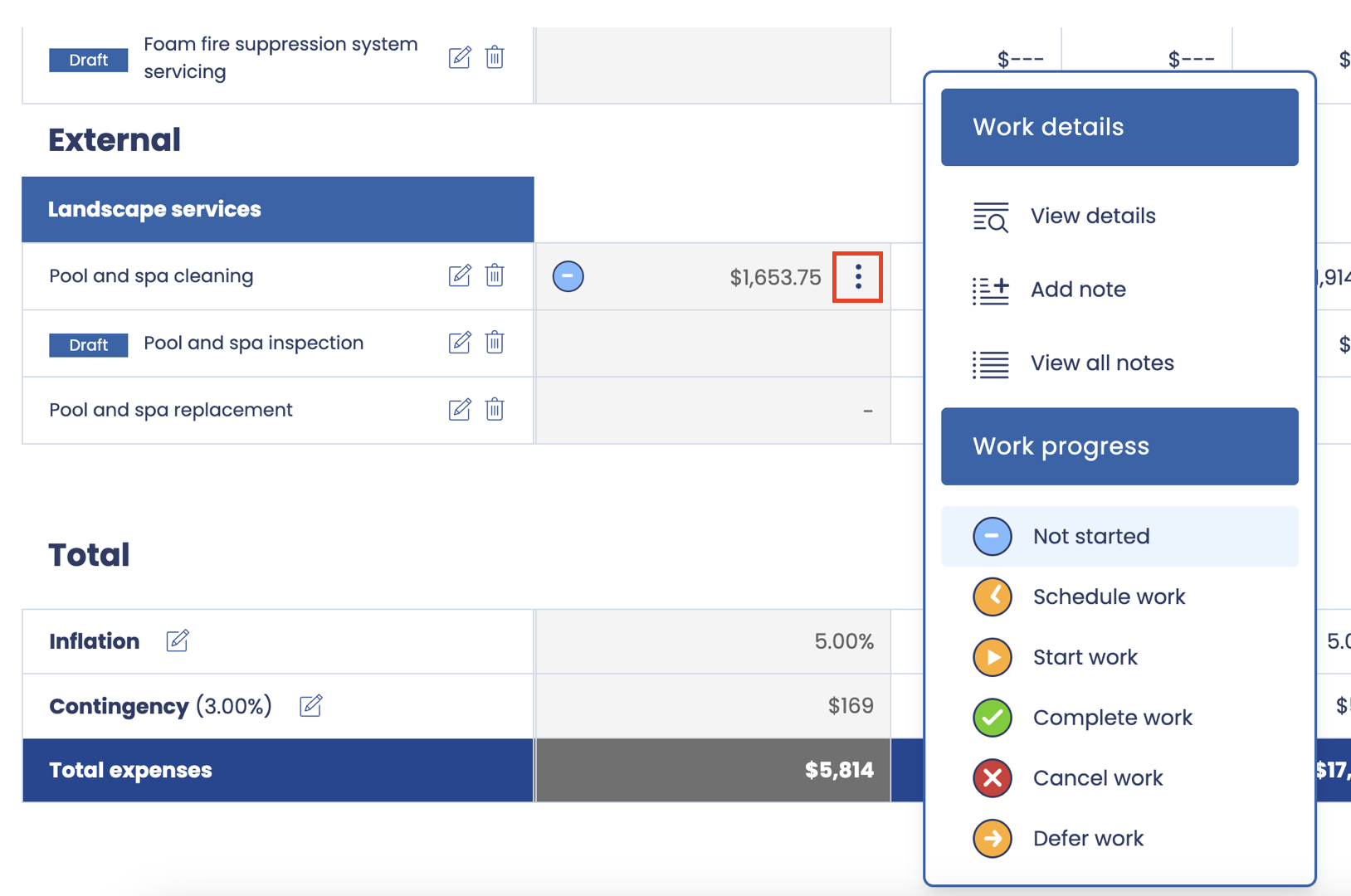
Available actions
-
Not Started – No action has been taken yet.
-
Schedule Work – Work has been scheduled; start and contractor details can be added later.
-
Start Work – The task is in progress.
-
Complete Work – The task has been completed.
-
Cancel Work – The task will not proceed.
-
Defer Work – The task has been postponed to a future period.
Updating task details
When selecting an action, a side panel will open to capture relevant information for that status.
For example, selecting Complete Work will prompt for:
-
Completion date
-
Contractor name
-
Optional notes (e.g. scope changes, remarks, or observations)
-
Attachments (e.g. invoices, reports, or photos)
Editing existing status
Users can return to any task later to update or add more details to its current status — such as additional notes, revised completion dates, or supporting documents.
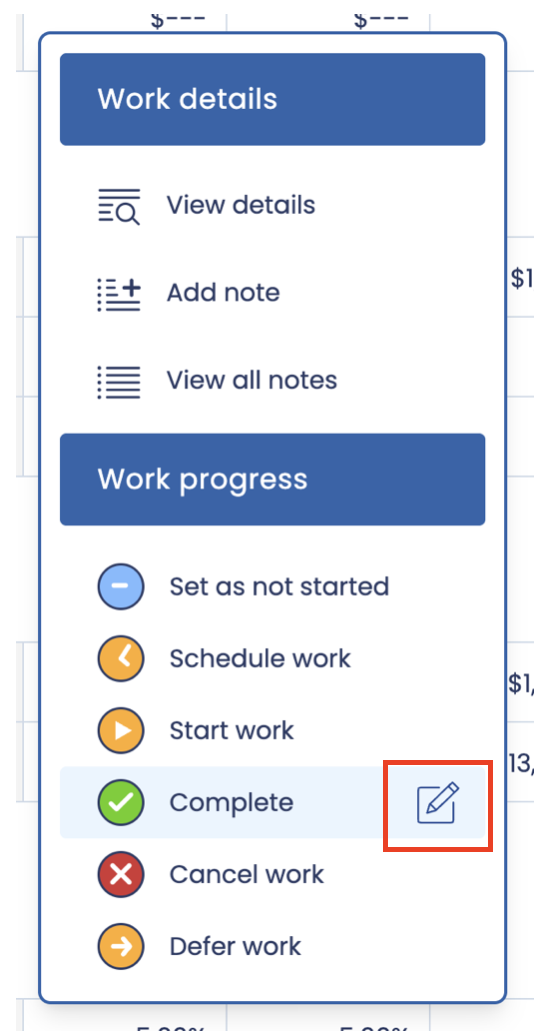
This ensures the work record remains complete and accurate over time.
Key points
-
Available only for approved years.
-
Enables end-to-end tracking of actual maintenance work.
-
Supports attachments and notes for complete documentation.
-
Keeps a clear history of task progress and outcomes.
Work details
The Work Details section provides a complete record of each maintenance task’s history and supporting information.
It allows users to review notes, attachments, and progress updates that have been recorded through the Work Tracker feature.
Accessing work details
From the “Tasks & Costs” → “Work Tracker (Actuals)” view, each task cell for approved years includes a contextual menu .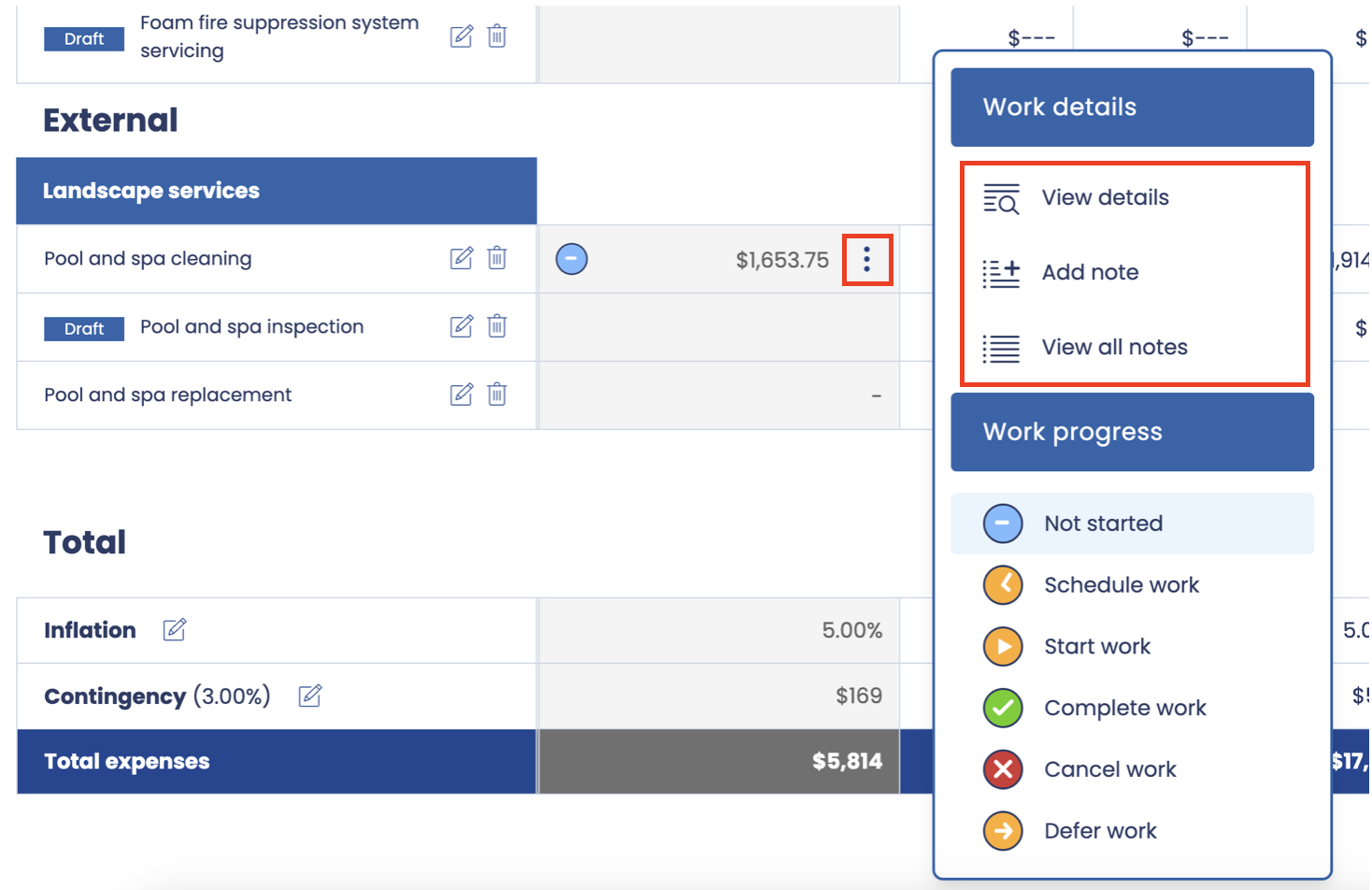
What you can see
The Work Details panel displays:
-
Notes – All notes that have been added to the task, including updates, observations, or comments recorded during its lifecycle.
-
Attachments – All documents and files uploaded for the task, such as invoices, photos, completion certificates, or inspection reports.
-
Timeline – A chronological view showing the history of progress tracking, including when statuses changed (e.g. Scheduled, Started, Completed) and who performed each action.
Purpose
This view provides full transparency over each task’s activity and helps users:
-
Review how work has progressed over time.
-
Confirm when and by whom updates were made.
-
Access supporting documentation in one place for audit or reporting purposes.
Key points
-
Available for approved years only.
-
Shows the complete audit trail for each maintenance task.
-
Combines notes, attachments, and a timeline for a clear overview.
-
Ensures accurate and traceable records of maintenance activities.